
Best Email Warm-Up Tools: 10 Options Compared
Ten email warm-up tools compared on starting price, free trial and API access, plus manual vs automated warm-up and what a warm-up score can and cannot prove.

On this page
The best email warm-up tool is the one you don't pay for separately. Outreach2day includes warm-up in every $2.50 mailbox, and Instantly and Smartlead include it in their sending plans. Standalone warm-up tools (lemwarm, Warmup Inbox, MailReach, Mailwarm, Mailivery, Warmy, InboxAlly) fit mailboxes you already own at Google, Microsoft or another host; the lowest standalone list price below is $15 a month for one inbox. Folderly is for diagnosing placement.
This guide compares ten tools: what each one does, how it is priced, whether it has a free trial or an API, and where it falls short. Every competitor price and trial below comes from the vendor's own pricing page, checked October 2, 2026. Prices change often, so check the vendor's page before you buy. For what a warm-up service does and what it costs, see email warm-up service. For the day-by-day plan, whatever tool you use, see how to warm up a new email domain. A condensed edition of this comparison is available as a PDF report.
We make Outreach2day, and it is our #1: warm-up, a sending engine and Google and Outlook placement tests come inside one $2.50 mailbox, so there is no second tool to pay for. The other nine are listed in no particular order.
Email Warm-Up Tools at a Glance
Type, entry price, free plan or trial, and API access for each tool, as the vendor states them. "Not listed" means the vendor's pricing page does not mention it. Prices are for monthly billing unless the cell says yearly.
Tool | Type | Starting price | Free plan or trial | API |
|---|---|---|---|---|
Outreach2day | Included with mailboxes | $2.50 per mailbox a month, minimum 12 mailboxes ($30) | No free trial | Yes: start, pause and check warm-up |
lemwarm | Standalone; included in every lemlist plan | $29 per email address a month ($24 billed yearly) | Not listed; included with lemlist plans | Not listed |
Warmup Inbox | Standalone | $15 per inbox a month (Basic, 75 warm-up messages a day) | 7-day free trial, no credit card | Yes, on every plan |
MailReach | Standalone | $25 per mailbox a month for 1 to 5 mailboxes, $16 from 51 | Not listed | Yes |
Mailwarm | Standalone | $69 a month billed yearly (Starter, 1 mailbox) | No free trial (vendor FAQ) | Not listed |
Mailivery | Standalone | $29 a month (Starter: unlimited mailboxes, 200 warm-up emails a day shared) | 7-day free trial | Yes, REST API |
Warmy | Standalone | From $49 a month, priced by warm-up volume | 7-day free trial, no credit card | Yes |
Instantly | Built into a sequencer | $47 a month (Growth: unlimited accounts and warm-up) | 14-day free trial, no card; 2 connected accounts | Yes, on paid Outreach plans |
Folderly | Standalone, deliverability diagnostics | $96 per mailbox a month on a yearly plan | Free plan for its Inbox Insights placement tests (2 a month) | Not listed |
InboxAlly | Standalone, on top of your ESP | $149 a month (Starter: 1 sender profile) | 10-day free trial, no credit card | Yes, REST API |
Sources, checked October 2, 2026: Outreach2day, lemwarm, Warmup Inbox, MailReach, Mailwarm, Mailivery, Warmy, Instantly, Folderly, InboxAlly.
1. Outreach2day
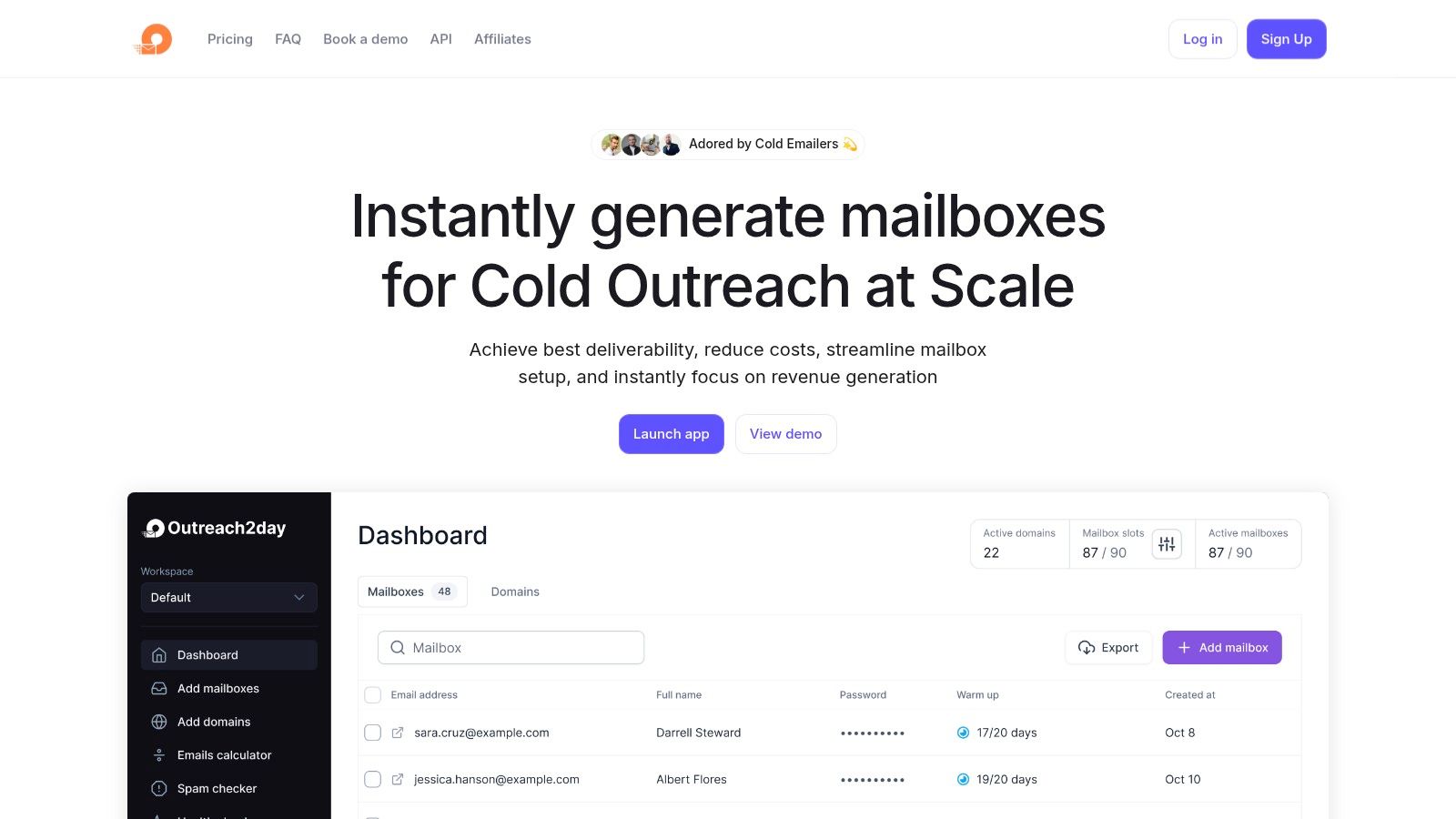
Outreach2day is an email infrastructure platform for cold outreach. It registers domains, sets up SPF, DKIM and DMARC, creates mailboxes and warms up every mailbox it creates. That removes the manual DNS and mailbox setup from launching a new batch of sending accounts.
Warm-up is included for every mailbox and runs for as long as you keep it. Each mailbox shows its warm-up inbox, spam and bounce rate, and Google and Outlook placement tests are included, so you can see a mailbox degrading before it hurts a campaign. Campaigns, sequences and one inbox for replies are included too.
Key Features & Use Cases
Outreach2day fits agencies and sales teams that run many sending mailboxes and want deliverability and sending in one place.
Automated mailbox and DNS setup: onboard a new client or add SDR capacity without editing DNS by hand
Built-in warm-up: included in every mailbox: 25+ warm-up emails a day to Google recipients, 25 to Outlook and 25 to other providers
Health monitoring: warm-up inbox, spam and bounce rate per mailbox, plus Google and Outlook placement tests
Sending engine: campaigns, sequences and one inbox for replies, in the same $2.50
Exports: send mailbox credentials to Instantly, Smartlead, Reply, Apollo and other sending tools, or send from Outreach2day itself
API and MCP: start, pause and check warm-up from code with the email warmup API, or from an AI assistant through the hosted MCP server (
start_warmup,get_warmup_status)
Pricing and Practical Considerations
Pricing is per mailbox: $2.50 per mailbox per month, for example $62.50 a month for 25 mailboxes (see pricing). Warm-up, the sending engine, DNS setup, per-mailbox analytics and placement tests are included in the per-mailbox price. The minimum is 12 mailboxes, $30 a month. There is no free trial; billing is month to month.
Warm-up runs on the SMTP/IMAP mailboxes you create in Outreach2day, on your own domains. They also sync to Instantly and Smartlead by API key with warm-up still running on our side. Outreach2day does not warm up Google Workspace or Microsoft 365 accounts bought elsewhere.
Other Email Warm-Up Tools
2. lemwarm
lemwarm is the warm-up tool from lemlist. It exchanges real emails with other users' inboxes to build sender reputation and shows a daily deliverability score. It is bundled with lemlist plans and also sold on its own.
Warm-up network: exchanges with other lemwarm users' inboxes
Setup checks: flags DNS and configuration problems
Price: $29 per email address a month on Essential and $49 on Smart ($24 and $40 billed yearly); every lemlist plan includes lemwarm
Fit: best for teams that already send with lemlist
Website: lemwarm
3. Warmup Inbox
Warmup Inbox is a standalone warm-up service with a simple setup and a peer network of real inboxes across Gmail, Outlook and other providers.
Peer-to-peer network: warm-up exchanges with other customers' inboxes
Monitoring: placement and reputation tracking per inbox
Price: $15 per inbox a month on Basic (75 warm-up messages a day), $49 on Pro (250) and $79 on Max (1,000); the per-inbox price drops as you add inboxes
Extras: outreach sequences on every plan, a developers API, and a free placement test that needs no sign-up
Trial: 7-day free trial without a credit card
Warm-up is the core of the product. It sells no mailboxes or domains, so those come from your email host.
Website: Warmup Inbox
4. MailReach
MailReach combines warm-up with spam tests and placement monitoring. It works with any provider that supports SMTP, including Gmail, Outlook, Zoho and SendGrid.
Warm-up: engagement with a network of established accounts, up to 100 emails a day
Spam tests: automatic tests with Slack and webhook alerts and inbox placement by provider; the warm-up plan includes at least 20 spam test credits
Checks: SPF, DKIM and DMARC checker and a blacklist checker
Price: $25 per mailbox a month for 1 to 5 mailboxes, $19.50 for 6 to 20, $18 for 21 to 50 and $16 from 51; 20% off on yearly billing
API: a warm-up API and a spam test API
Website: MailReach
5. Mailwarm
Mailwarm pairs warm-up with continuous inbox placement testing.
Placement tests: inbox vs spam results per mailbox and SMTP account
Providers: Gmail, Outlook, Yahoo, Zoho, SendGrid, Mailgun and AWS
Support: deliverability sessions with an expert on every plan
Price: Starter $69 a month billed yearly (1 mailbox, up to 50 warm-up emails a day), Growth $159 (3 mailboxes), Scale $479 (10 mailboxes)
Trial: none; the vendor's FAQ says warm-up starts as soon as you connect an inbox
Website: Mailwarm
6. Mailivery
Mailivery uses AI to hold conversations with real mailboxes and lets you connect unlimited mailboxes.
Unlimited mailboxes: on every plan; the plan sets the daily warm-up volume shared across them
AI interactions: opens and replies generated automatically
Extras: placement tests, blacklist monitoring, email verification, team management and an API
Price: Starter $29 a month (200 warm-up emails a day), Professional $79 (800), Business $199 (2,500); about 25% less on yearly billing
Trial: 7-day free trial
Website: Mailivery
7. Warmy
Warmy combines warm-up with deliverability diagnostics.
Placement tests: seed-list tests of inbox, spam and promotions placement
Diagnostics: DNS checks, DMARC monitoring and a Google Postmaster Tools integration
Price: plans from $49 a month, priced by warm-up volume
Trial: 7-day free trial without a credit card
Website: Warmy
8. Instantly
Instantly is a cold email sending platform with warm-up built in. Its outreach plans include unlimited email accounts and unlimited warm-up.
Unlimited accounts: connect and warm up as many mailboxes as you need
Warm-up analytics: health and status per account
Price: Growth $47 a month ($37.60 billed yearly), Hypergrowth $97; the Light Speed plan ($358) adds SISR, which Instantly describes as dedicated or private server and IP rotation
Trial and API: 14-day free trial without a card (250 uploaded contacts and 1,000 emails); API access on paid Outreach plans
Fit: teams that already send with Instantly
Website: Instantly
9. Folderly
Folderly is a deliverability platform for diagnosing placement: it argues that warm-up alone does not fix placement. It monitors domains, mailboxes, IPs and templates and explains why mail lands in spam.
Spam trigger analysis: checks templates for content that hurts delivery
Monitoring: domain, mailbox and IP reputation in one place
Pricing: $96 per mailbox a month on a yearly plan, with a demo for larger teams; its Inbox Insights placement tester has a free plan with 2 tests a month
Website: Folderly
10. InboxAlly
InboxAlly generates engagement with your messages to teach inbox providers that recipients want your mail, and helps plan the volume ramp-up for new domains.
Works with your ESP: integrations and a REST API
Ramp-up planning: guidance on volume increases and domain warming
Price: Starter $149 a month (1 sender profile, 100 seed emails a day), Plus $645, Premium $1,190
Trial: 10-day free trial without a credit card
Website: InboxAlly
Email Warm-Up Tools Compared
Product | What It Does | Pricing Model | Best For |
|---|---|---|---|
Outreach2day | Domains, mailboxes, DNS setup, warm-up, sending, placement tests | $2.50 per mailbox per month, all included | Teams that want warm-up and sending on one bill |
lemwarm | Peer-network warm-up, setup checks | Per email address, or included with lemlist | lemlist users |
Warmup Inbox | Peer-network warm-up, outreach sequences, placement test | Per inbox, 7-day free trial | Small teams that mainly need warm-up |
MailReach | Warm-up, spam tests, verification | Per mailbox, lower at volume | Teams that want warm-up plus testing |
Mailwarm | Warm-up, continuous placement tests | Plans by mailbox count | Teams that want expert help |
Mailivery | AI warm-up, placement tests, blacklist monitoring | Plans by daily volume, unlimited mailboxes, 7-day free trial | Agencies |
Warmy | Warm-up, seed tests, DNS and DMARC checks | Plans by warm-up volume, 7-day free trial | Teams that want diagnostics |
Instantly | Sending platform with unlimited warm-up | Monthly plans, 14-day free trial | Teams that already send with Instantly |
Folderly | Deliverability monitoring, placement tests, content checks | Per mailbox, demo | Teams fixing existing placement problems |
InboxAlly | Engagement-based warm-up, ramp-up planning, placement tests | Plans by seed volume, 10-day free trial | Senders on their own ESP |
Free Email Warm-Up and Trials
None of the ten pricing pages lists a free plan for warm-up itself. Five tools offer a free trial, lemwarm comes with every lemlist plan, and Folderly has a free plan for placement tests. The table lists only what each vendor states on its own pricing page, checked October 2, 2026.
Tool | What is free | How long | Card needed | Includes warm-up |
|---|---|---|---|---|
Warmup Inbox | Trial of any plan | 7 days | No | Yes |
Warmy | Trial of every feature | 7 days | No | Yes |
Mailivery | Trial of any plan | 7 days | Not stated | Yes |
InboxAlly | Trial of Autowarmup, the dashboard and the free toolkit | 10 days | No | Yes |
Instantly | Trial of the sending platform: 250 uploaded contacts and 1,000 emails | 14 days | No | Yes, 2 accounts |
lemwarm | Included in every lemlist plan | With a lemlist plan | Not stated | Yes |
Folderly | Inbox Insights placement tests and Pulse alerts | 2 tests a month; alerts at $0 | Not stated | No |
A trial can end before warm-up finishes. We require 14 days before the first cold email and reach full volume around day 21 (how long to warm up). Use a shorter trial to evaluate the dashboard and network. InboxAlly says full reputation repair typically takes 4–8 weeks.
Warm-up has to keep running. Turning it off when the trial ends removes the steady flow of opened and answered emails next to your cold volume (keep warm-up running). Budget for the paid plan from the start.
One warm-up network per mailbox. Two networks mix their numbers and make the inbox rate harder to read. Compare trials sequentially, or use separate mailboxes for each network.
Several vendors also publish free one-off tools, such as a spam checker or a single placement test, for example MailReach, Mailwarm, Warmup Inbox and InboxAlly. They check one email and do not warm up a mailbox.
Outreach2day has no free trial. Warm-up is included in the $2.50 mailbox price, from 12 mailboxes ($30 a month), and runs for as long as you keep the mailbox.
Manual vs Automated Warm-Up
Manual warm-up means you send and answer emails from the new mailbox yourself: to colleagues, partners and other people who open and reply, a few a day at first and more each week. Automated warm-up hands that job to a tool. It connects the mailbox to a network of other inboxes that send to it, open its messages, reply and move them out of spam, on a daily schedule that rises over time.
Both follow the rule Google gives new senders: "Start with a low sending volume to engaged users, and slowly increase the volume over time" (Google sender guidelines).
Manual warm-up | Automated warm-up | |
|---|---|---|
Who sends and replies | You and people you know | A network of other inboxes |
Daily volume | What you can write and answer by hand | Set by the tool; 75+ warm-up emails per mailbox a day at Outreach2day |
Spam rescues | Only if your contacts check spam and move your email | Network inboxes move warm-up emails out of spam |
Monitoring | Your own notes | Warm-up inbox and spam rate per mailbox, depending on the tool |
After cold email starts | Hard to keep up next to campaigns | Keeps running beside cold email |
Cost | Your time | A subscription, or included in a mailbox or sequencer price |
Manual warm-up fits a mailbox that writes to people who already know you. For a set of cold sending mailboxes, use a tool to keep the schedule running alongside campaigns.
How to Warm Up Email Automatically
Set up SPF, DKIM and DMARC on the sending domain and test the records; warm-up can fail quietly when DNS has not propagated, and new records can take up to about two days
Create or connect the mailbox: Outreach2day mailboxes are ready within 24 hours; in a standalone tool, connect your Google, Microsoft or SMTP mailbox
Turn warm-up on in the dashboard, through an API (Outreach2day:
POST /warmup/operationswith theenableaction, see the email warmup API) or from an AI assistant through an MCP server (Outreach2day:start_warmup)Confirm it is running: "connected" in a sending tool only means the tool can log in, so check that warm-up emails are being sent and received
Warm up only for 14 days, then start cold email at a low volume and reach up to 25 cold emails per mailbox a day around day 21 (day-by-day schedule)
Keep warm-up running at a steady volume for as long as the mailbox sends; change it in small steps
For an earlier start, some vendors sell mailboxes they have already warmed; pre-warmed inboxes compares their prices and what carries over.
Free guide19 min read
Send 100,000 cold emails a month
Domains and mailboxes you need, DNS, warm-up, lists, copy and follow-ups, with a launch checklist. We email it to you and open sign-up in a new tab.
Does Email Warm-Up Work?
Warm-up gives a new mailbox a sending history and a way to monitor its warm-up traffic. Cold placement also depends on the recipient, list and message.
What the Warm-Up Inbox Rate Shows
Partner placement: whether warm-up emails reach the network's inboxes, day by day
A change to investigate: rising warm-up spam rate can signal a problem with the mailbox, domain or sending IPs
The pattern: compare affected mailboxes and domains before deciding where the problem sits
What It Does Not Show
Cold placement: network partners know your mailbox; prospects have no such history
Campaign copy: test the campaign beside a neutral control message
Recipient behavior: complaints, replies and auto-replies come from the campaign
The warm-up inbox rate dropped answer walks through what to check when the number falls, and the free warm-up metrics reader skill reads a warm-up dashboard with an AI assistant and flags the mailboxes to investigate.
What We Recommend
Warm-up is required in our sending setup: 14 days before the first cold email, then a gradual rise to up to 25 cold emails per mailbox a day around day 21. Keep warm-up running alongside campaigns. The schedule covers the ramp and slower starts on extensions such as .info.
How to Check That It Worked
Before you raise cold volume, check three things: the warm-up inbox rate is stable across several days, SPF, DKIM and DMARC pass on a test message, and a placement test with a neutral email lands in the inbox for Google and Outlook recipients. Run the inbox placement test as a pair: a neutral control email and your campaign email from the same mailboxes in the same minute, repeated on another day before you act. Are placement tests reliable? explains how to read the pair. After launch, replies and auto-replies per mailbox show whether real recipients receive your mail.
Warm-Up With Placement Tests and Mailbox Health in One Account
Three kinds of products put warm-up next to placement data: standalone warm-up tools with placement or spam tests (MailReach, Mailwarm, Mailivery, Warmy, InboxAlly), sequencers with warm-up built in (Instantly, and lemlist with lemwarm), and mailbox providers that include warm-up in the mailbox. Outreach2day is the third kind. One account holds the mailboxes, their warm-up, their health numbers and the placement tests:
What you get | At Outreach2day |
|---|---|
Warm-up | 75+ warm-up emails per mailbox a day (25+ to Google recipients, 25 to Outlook, 25 to other providers), for as long as you keep the mailbox |
Mailbox health | Warm-up inbox, spam and bounce rate per mailbox |
Placement tests | Google and Outlook seed tests; inbox or spam for each seed |
Sending | Campaigns, sequences and one inbox for replies, or export to Instantly, Smartlead and other tools with warm-up still running |
Control from code | Warm-up API, and the hosted MCP server at |
Price | $2.50 per mailbox a month, minimum 12 mailboxes; volume discounts for large orders |
When several mailboxes deteriorate, check whether they share a domain. Compare neutral and campaign placement, hold affected cold volume while investigating, and keep warm-up running.
FAQ
What is the best email warm-up tool?
Our pick is Outreach2day (we make it): warm-up, sending and placement tests come in the $2.50 mailbox. For Google or Microsoft mailboxes you already own, compare standalone tools such as MailReach and Warmup Inbox.
Do I need a warm-up tool if my sequencer has warm-up?
No. Instantly and Smartlead include warm-up in every plan, and Outreach2day includes it in the mailbox. A second warm-up tool on the same mailbox adds cost and mixes two networks' numbers.
Is there a free email warm-up tool?
The listed tools offer trials or warm-up inside a paid subscription. Warmup Inbox, Warmy and Mailivery have 7-day trials, InboxAlly 10 days and Instantly 14 days. See the trial table for limits; Outreach2day warm-up is included in its $2.50 mailbox price.
Does email warm-up actually work?
It gives a mailbox a sending history and measurable warm-up traffic. A high score alone cannot prove cold placement: check authentication, paired placement tests and campaign replies before raising volume.
How do I warm up email automatically?
Authenticate the domain, connect the mailbox and enable warm-up in the tool. Confirm messages are sent and received. Outreach2day warms every mailbox it creates; API and MCP controls are described above.
What is the cheapest email warm-up service?
By list prices checked October 2, 2026: Outreach2day is the lowest per mailbox at $2.50 a month with warm-up included, for mailboxes created in Outreach2day (minimum 12, $30 a month). For a mailbox you already own, Warmup Inbox Basic is the lowest standalone price at $15 per inbox a month (75 warm-up messages a day). Mailivery Starter costs $29 a month for unlimited mailboxes that share 200 warm-up emails a day, and Instantly Growth costs $47 a month with unlimited accounts and warm-up inside the sequencer.
How long should a warm-up tool run?
At least 14 days before the first cold email, and then for as long as the mailbox sends. See how to warm up a new email domain for the ramp.
Which cold email infrastructure includes warm-up?
Outreach2day, Instantly, Smartlead and Zapmail include it; InboxKit sells it as an add-on and Mailforge as a separate product, Warmforge. The comparison with full-setup costs is in best cold email infrastructure providers.
Sources
Checked October 2, 2026. The pricing-page links above support the plan, trial and API table; these additional sources cover how to use the tools:
Google sender guidelines: gradual increases in volume to engaged recipients
Instantly Outreach plan comparison and free trial limits: two trial accounts, warm-up and API access on paid plans
Outreach2day API documentation and warm-up schedule: operations and the 14/21-day timeline
Outreach2day creates mailboxes, sets up DNS and warms up every mailbox, from 12 mailboxes at $2.50 each (see pricing).
Keep reading
Send 100,000 cold emails a month
How to send 100,000 cold emails a month while keeping quality, engagement and conversion rates high: domains, mailboxes, warm-up, leads, copy and scaling
Step-by-step playbook · 19 min readDeliverability5 min read
Email Warm-Up Service: What It Does and Costs
Deliverability11 min read
Email Domain Reputation Checker: 6 Tools Compared
Deliverability8 min read
7 Email Deliverability Best Practices
Answer2 min read
What Spam Complaint Rate Is Too High for Cold Email?
Agent skill
Burned sending domain detector