On this page
Short answer
550 5.1.1 is a permanent bounce: the receiving server has no mailbox at that address. Gmail says the account you tried to reach does not exist; Microsoft 365 says bad destination mailbox address, or uses 550 5.1.10 when its address lookup finds no recipient. On a cold email list, remove the address everywhere, don't retry it, and verify the rest of the list before the next send.
What it means
550 is a permanent failure and 5.1.1 means the destination has no mailbox at the address you sent to. Microsoft's 5.1.x article puts the most common cause plainly: "the wrong email address is the most common issue that causes 5.1.x errors."
It is a hard bounce. The receiving server will give the same answer on every retry, so the address has to leave your list.
The texts by provider
Provider | Text in the bounce | What it means |
|---|---|---|
Gmail, 550 5.1.1 | "The email account that you tried to reach does not exist." | No such Gmail or Google Workspace account |
Microsoft 365, 5.1.1 | "Bad destination mailbox address" | The address does not exist in the destination system |
Exchange, 550 5.1.1 | "RESOLVER.ADR.RecipNotFound; not found" | The same, as Exchange writes it in the diagnostic part |
Microsoft 365, 550 5.1.10 | "RESOLVER.ADR.RecipientNotFound; Recipient not found by SMTP address lookup" | Address lookup found no recipient |
Outlook.com, 550 5.5.0 | "Requested action not taken: mailbox unavailable" | No such @outlook.com or @hotmail.com address; Microsoft calls it "similar to 550 5.1.10" |
The Gmail text is from Google's SMTP error list, which adds: "Please double-check the recipient's email address for typos or unnecessary spaces." The Microsoft texts are from its NDR reference, the moved-mailbox article and the RecipientNotFound article. A related Gmail code, 553 5.1.2, means the recipient domain itself was not found.
Why cold email lists produce it
Microsoft's NDR reference gives the causes of 5.1.1: the address was entered incorrectly, it "doesn't exist in the destination email system," or the mailbox moved and a cached entry is stale. It also notes the error "can occur if the recipient's email address was previously valid but later changed or removed."
On a prospect list that last line covers most cases. People change jobs, companies delete their mailboxes, and lead databases keep the old address. Addresses built from a name pattern add more. None of this shows until you send, which is why a list goes through a verifier before the first email.
550 5.1.10
5.1.10 is Microsoft 365's version of the same answer. Microsoft's 5.1.10 article gives two reasons: "The recipient's email address doesn't exist or couldn't be found", or backscatter, a bounce for a message someone else sent with your address forged in From.
The recipient-side causes Microsoft lists are for the recipient's admin: no mailbox or no email license, a broken forwarding rule, or a hybrid setup where the user exists in Microsoft 365 but not on premises. As a sender you treat it like 5.1.1.
The backscatter case matters to cold senders. If you get 5.1.10 bounces for emails your campaigns never sent, someone is using your domain in From. Check that SPF, DKIM and DMARC are set on that domain; see SPF, DKIM and DMARC for cold email.
Free guide19 min read
Send 100,000 cold emails a month
Domains and mailboxes you need, DNS, warmup, lists, copy and follow-ups, with a launch checklist, sent to your inbox.
What to do
Check the address once. Compare the address in the bounce with your list. Fix an obvious typo; otherwise treat it as dead.
Compare the bounced address with the one you sent to. Microsoft notes that a different address in the bounce points to a forwarding rule on the recipient's side. You can't fix that, so drop the address.
Remove it everywhere. Every campaign, sequence and CRM list, so no other mailbox sends to it.
Check the domain if all its addresses fail. Microsoft names a stale MX record as one cause of 5.1.1. Look up the MX with MX lookup; if the company moved its mail or closed, drop the domain.
Clean and verify the rest of the list. The email list cleaner removes duplicates, invalid, role and free-mail addresses. It does not check mailboxes, so run a verifier after it.
Track the bounce rate per send. See bounce rate too high for how bad addresses and blocks differ.
Microsoft 365 also rejects unknown addresses with 550 5.4.1 when the recipient's tenant blocks them at the edge.
What we recommend at Outreach2day
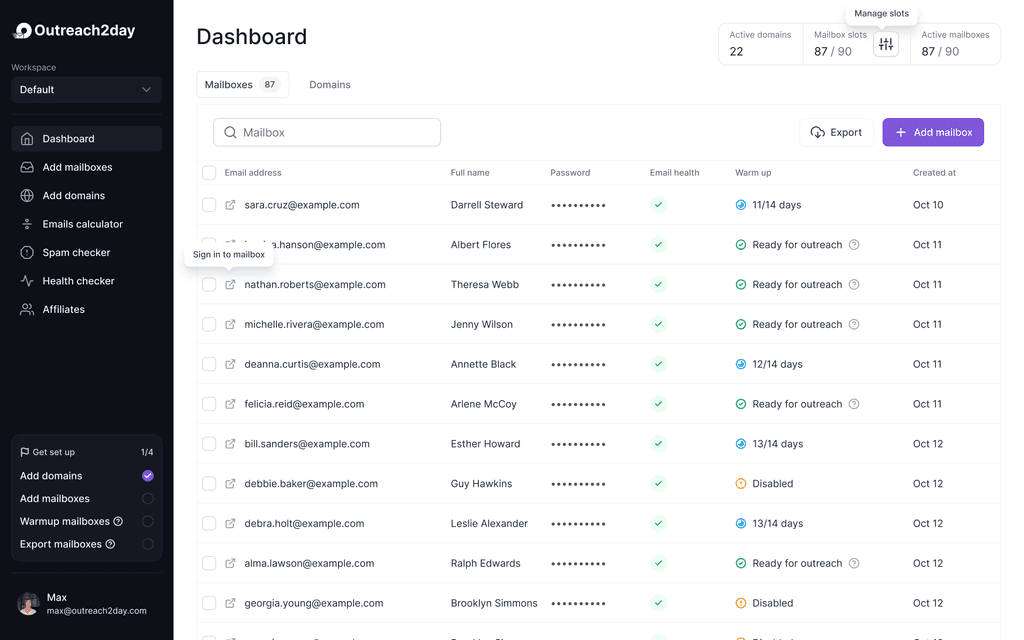
Outreach2day analytics shows warmup inbox, spam and bounce rate for every mailbox and splits sends by recipient provider. If warmup bounces stay low while a campaign collects 5.1.1, the list is the cause: verify it before the next send.
Sources
- Google Workspace Admin Help: Gmail SMTP errors and codes: knowledge.workspace.google.com/admin/support/troubleshooting/gmail-smtp-errors-and-codes
- Microsoft Learn: Fix NDR 550 5.1.1 to 5.1.20 in Exchange Online: learn.microsoft.com/en-us/troubleshoot/exchange/email-delivery/ndr/fix-error-code-550-5-1-1-through-5-1-20-in-exchange-online
- Microsoft Learn: Fix NDR error 550 5.1.10 in Exchange Online: learn.microsoft.com/en-us/troubleshoot/exchange/email-delivery/ndr/fix-error-code-550-5-1-10-in-exchange-online
- Microsoft Learn: NDR error 550 5.1.10 RESOLVER.ADR.RecipientNotFound: learn.microsoft.com/en-us/troubleshoot/exchange/email-delivery/ndr/recipientnotfound-ndr
- Microsoft Learn: Cannot send messages to a moved mailbox (550 5.1.1 RESOLVER.ADR.RecipNotFound): learn.microsoft.com/en-us/troubleshoot/exchange/email-delivery/delivery-has-failed-and-550-5-1-1-resolver.adr.recipnotfound
- Microsoft Learn: Email nondelivery reports (NDRs) and SMTP errors in Exchange Online: learn.microsoft.com/en-us/troubleshoot/exchange/email-delivery/ndr/non-delivery-reports-in-exchange-online
Related answers
- Why Is My Cold Email Bounce Rate So High?Bounces and errors
- What Does 550 5.4.1 Mean, and How Do I Fix It?Bounces and errors
- What Does a 550 5.7.1 Bounce Mean, and How Do I Fix It?Bounces and errors
- Should I Send Cold Email to Personal Gmail Addresses?Gmail and Google
In depth on the blog
- How to Choose an Email Verification Program9 min read
- Email Campaign Performance Metrics: What to Track7 min read